
IPTV Service: How a Channel Reaches Your Screen
Explainers describe the idea and provider pages sell the product, but almost nobody shows the path a picture travels. This guide walks an IPTV service from the source feed to your television in five stages, then shows you exactly where each one breaks.
The technology itself is ordinary. An Internet Protocol television is television carried over the same broadband line as your email, and every IPTV service sold in America uses it. What separates one from another is capacity, licensing and honesty rather than the delivery method.
Two numbers matter before anything else. One 4K stream needs roughly 25 Mbps, and the FCC broadband speed guide lists what US homes should expect, while HEVC (H.265) video compression is the compression that makes a 4K channel fit down that line at all.
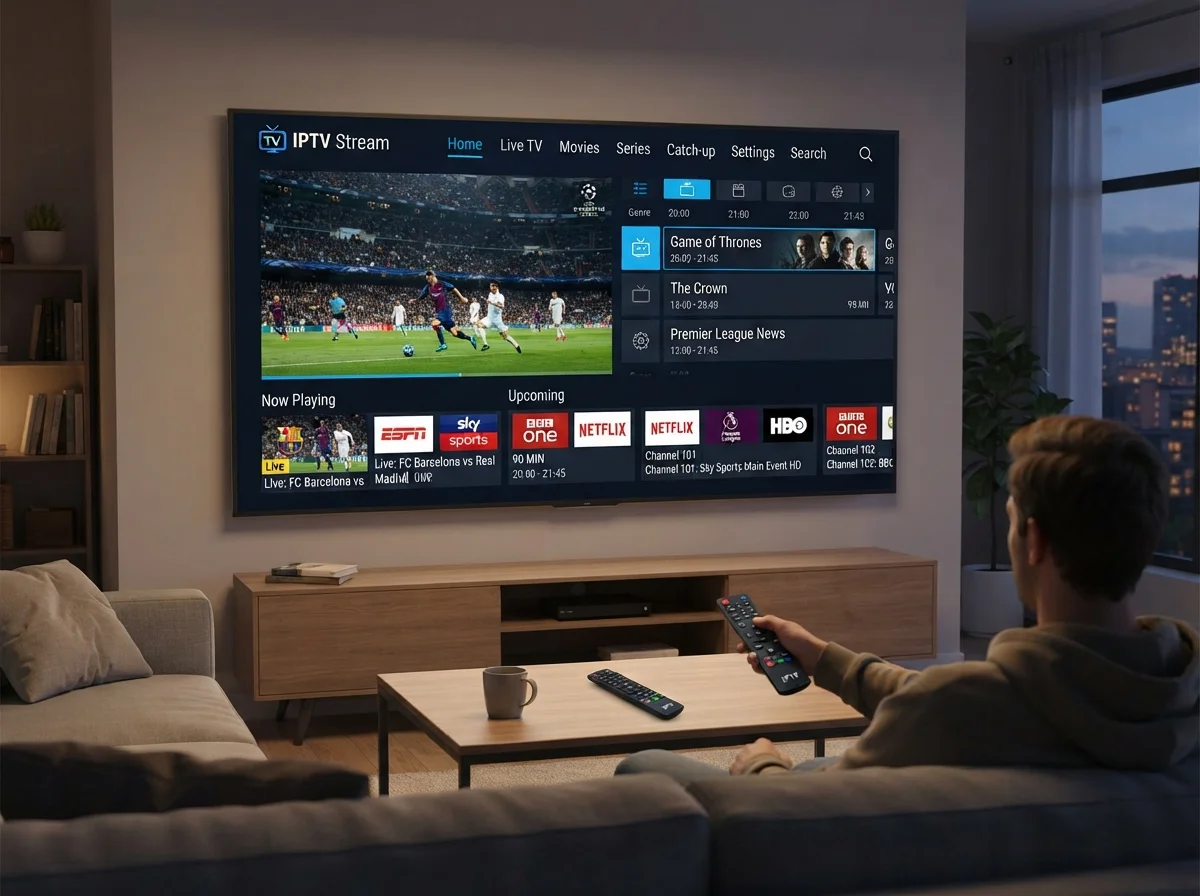
What an IPTV Service Actually Is
Three sentences settle most of the confusion about what an IPTV service is, and they matter because the wrong mental model leads to the wrong complaint later.
An IPTV service is television over the line you already pay for
No dish, no coaxial cable, no box rented from a company. An IPTV service sends channels as internet traffic to an app on a device you already own, which is why the installation is a login rather than a visit.
Why an IPTV service is not a streaming app
A film app holds a library you browse. An IPTV service carries live channels on a schedule, with a program guide, exactly as cable does. The difference is live television versus an on-demand catalog.
What you are actually buying
Capacity, licensing and guide data. Those three lines are the real product of any IPTV service, and everything on a pricing page is a proxy for them.
How an IPTV Service Delivers a Channel
Five stages sit between a broadcaster and your sofa. Knowing them turns a vague complaint into a specific one, which is the difference between a fix and an argument.
1. Acquisition
The source feed arrives at the provider. Quality here sets a ceiling nothing downstream can raise, so an IPTV service starting from a weak feed cannot deliver a strong picture however good its servers are.
2. Encoding
The feed is compressed and transcoded into several bitrates so different connections can each get a version they can carry. This step costs real money every month on every channel.
3. Servers
Load-balanced machines hold the channel and hand it to thousands of viewers at once. This is the stage that decides whether an IPTV service survives kickoff or collapses.
4. Your line
Your broadband carries it the last few miles. A 4K stream wants about 25 Mbps of steady throughput, and steady matters more than the headline number on your bill.
5. The player
An app on your Firestick, television or phone reads the stream and draws the guide. It is a remote control, not a source, and it cannot repair anything upstream.
Why the order matters
Faults travel downstream only. A problem at stage three reaches every viewer; a problem at stage five reaches one device. That single rule explains most of what follows.
Notice that a household controls exactly one of the five stages. Everything before your router belongs to the provider, which is why the capacity question is worth asking before you pay rather than after a bad Sunday.
What You Need to Run an IPTV Service at Home
Four things, none of them exotic. Most American households already own three of them before they subscribe to any IPTV service.
The internet speed an IPTV service actually needs
Around 25 Mbps per 4K stream and roughly 10 Mbps for HD. Two people watching different games at once doubles that. Run a speed test on the television's own network rather than on a phone next to the router.
A device you probably own
A Fire TV Stick 4K, an Android box, an Apple TV, or a Samsung or LG television. Any IPTV service worth paying for runs on all of them, and our setup guide walks through each one.
The player app and your credentials
A username, a password and a portal address, entered once. Some apps take a single long link instead. Treat them like any other password, because whoever holds them is using your connections.
Wired Ethernet on the main television
One cable to the screen you watch most is the single best upgrade for any IPTV service. Wi-Fi across a house is where a large share of complaints actually begin.
None of these four require a purchase for most households. If you already stream anything at all, you already meet three of them, and the fourth is a cable that costs less than a month of cable television.
Setting Up an IPTV Service on Each Device
The stream is identical on every screen. What changes is the app, the remote and how long the install takes, so pick the device you already own rather than buying one.
Fire TV Stick and Android boxes
The most common choice in American homes for an IPTV service, and the widest selection of player apps. Installation is a few minutes and the stick is cheap to replace when it eventually slows down.
Smart televisions
Samsung and LG sets install a player straight from the television store, with no extra box under the screen. An IPTV service looks exactly the same here as on a Firestick because the stream never changed.
Apple TV, phones and browsers
Apple TV gives the smoothest interface with fewer player options. Phones and browsers are the fastest way to test an IPTV service before you touch the living room at all.
- Before you install anything — confirm the device name with support so you get the right guide
- After the channel list loads — set your time zone, or the guide will look broken
- Once it works — build a favorites row of the twenty channels you actually watch
Where an IPTV Service Fails, Stage by Stage
Match the symptom to the stage and you know who can fix it, and whether the IPTV service or your own network is responsible. This table settles arguments between a household and its provider faster than any support ticket.
| What you see | Likely stage | What to do |
|---|---|---|
| Freezing only at kickoff | 3. Servers | Capacity problem. Report it with the time and the channel. |
| One channel dead, rest fine | 1. Acquisition | Source feed. Only the provider can restore it. |
| Everything buffers all evening | 4. Your line | Run a speed test, then wire the main television. |
| Guide shows the wrong shows | 2. Encoding & data | Set your time zone first, then report it. |
| Fine on the phone, bad on TV | 5. The player | Local. Reinstall the app or change device. |
The useful test takes two minutes: open the same channel on a phone over the same network. If the phone is clean, the fault is at stage five and the IPTV service is not the problem. If both stutter, it is stage three or four.
Keep a short note of when it happened. Time of day, channel name and what the phone showed on the same network are the three details that turn a vague complaint into something a support team can act on within the hour rather than the week.
Send that result with your report. A provider reading “clean on the phone, freezing on the Firestick at 1:15 p.m.” can act immediately, while a provider reading “it does not work” can only guess.
What an IPTV Service Costs Against Cable
The gap is large enough that most households recover the switch in the first month. Our full %s lists every plan length.
| Our IPTV service | Cable | Live TV app | |
|---|---|---|---|
| Monthly cost | $6.67–$14.99 | $120+ | $75–$90 |
| Contract | None | 12–24 months | Monthly |
| Equipment rental | None | $10–$20/mo | None |
| Out-of-market games | Yes | Rarely | Some |
The figure that surprises people is the equipment line. Cable bills carry a rental charge on every box in the house for hardware you never own, while an IPTV service uses screens and sticks you already bought.
Plans do not renew automatically. A subscription simply ends unless you choose to extend it, and first purchases carry a 7-day money-back guarantee if the service will not perform on your connection.
Is an IPTV Service Legal in the United States?
The technology is legal and used by telephone companies nationwide. There is no ban on internet television in America, and the delivery method has never been the question.
What matters is whether a provider holds the rights to what it carries. That is a licensing question, and it is the line between an IPTV service operating properly and one facing takedowns. A buyer cannot audit contracts, but three things are visible from outside.
Published terms
A real IPTV service publishes terms, a refund window and a copyright policy. Missing pages are a decision.
A findable business
A postal address, a support channel that answers, and a name that survives a search.
A copyright process
A stated route for rights holders to file a notice, with somebody reading it.
The practical version is simple. If a provider will put its terms, its address and its refund window in front of you without being asked, you are looking at a business. If those pages are missing, that absence is the answer.
This is general information for US readers, not legal advice.
Choosing an IPTV Service Without a Ranked List
Skip the top-ten articles. Four checks settle it, and all four are things you do rather than things you read. Nobody can run them for you, which is exactly why they work.
- Write your twenty channels by call sign, then check them against the channel list
- Test during one live game, not a quiet weekday afternoon
- Send one support question and time the reply before paying
- Get the refund window in writing, in an email you keep
Any IPTV service that clears those four is worth a short plan. Start with our free trial and run the test on your own television, because that is the only evidence that transfers to your living room.
IPTV Service: Frequently Asked Questions
What is an IPTV service?
It is live television delivered over your broadband connection instead of a cable or satellite line. You sign in on a device you already own, open a player app, and get a channel list with a program guide.
How does an IPTV service work?
A source feed is acquired, encoded into several bitrates, served from load-balanced machines, carried over your internet line and drawn by a player app. Those five stages are the whole path any IPTV service follows.
Do you need internet for an IPTV service?
Yes, and the speed matters. Around 25 Mbps supports one 4K stream and 10 Mbps supports HD. Two simultaneous streams need roughly double, and a wired connection to the main television beats a faster plan on Wi-Fi.
What equipment do I need for an IPTV service?
Nothing new in most homes. A Fire TV Stick, Android box, Apple TV or a Samsung or LG smart television all work, plus a player app and the credentials your provider sends.
Is an IPTV service legal in the USA?
The technology is legal and widely used. What matters is whether the provider licenses the channels it carries, which is why published terms, a real address and a copyright process are worth checking. General information, not legal advice.
How much does an IPTV service cost?
Plans here run from $14.99 for one month to $79.99 for a year, which works out near $6.67 a month. Licensed live-TV apps typically cost $75 to $90 and cable starts around $120 before equipment rental.
Start Watching Tonight
Pick a plan or take the free 24-hour trial first. Either way you are watching within ten minutes, with no contract and nothing to install. Our iptv usa lineup carries local affiliates, every major league and native 4K, and the whole thing runs on the device already under your television.
Contact
Email: Support@usaip-tv.com
Address: 124 Henry St, Brooklyn, NY 11201, USA
Keep reading
Compare every plan on our pricing page, browse the channel list, or follow the setup guide for your device.